Managing a small shop is not just about selling products. Every day, shop owners have to create invoices, track inventory, manage customer payments, and monitor sales. When these tasks are handled manually, mistakes become common, and valuable time is wasted. That is why investing in reliable billing software has become essential for modern retailers.
In my experience working with retail businesses, I have seen many shop owners struggle with handwritten invoices, inaccurate stock records, and slow checkout processes. However, after switching to a modern POS billing software, they noticed significant improvements in efficiency, customer satisfaction, and overall business performance.
Whether you own a grocery store, pharmacy, clothing shop, electronics store, or supermarket, choosing the right billing software can simplify your daily operations while helping your business grow.
Why Small Shops Need Billing Software
Many small businesses still rely on manual billing because they believe software is only meant for large companies. However, this is no longer true. Today, even a small retail shop handles dozens of transactions every day. As sales increase, manual billing becomes difficult to manage.
A reliable small shop billing system automates routine tasks and reduces the chances of human error. Instead of spending time preparing invoices manually, employees can focus on serving customers and increasing sales.
Moreover, digital billing allows business owners to monitor inventory, review sales reports, and make informed decisions based on accurate data.
Features to Look for in the Best Billing Software
Not every software solution offers the same features. Therefore, before selecting one, consider the following capabilities.
Fast Billing
Customers expect quick service. A good POS billing software generates invoices within seconds, reducing waiting time at the checkout counter.
Inventory Management
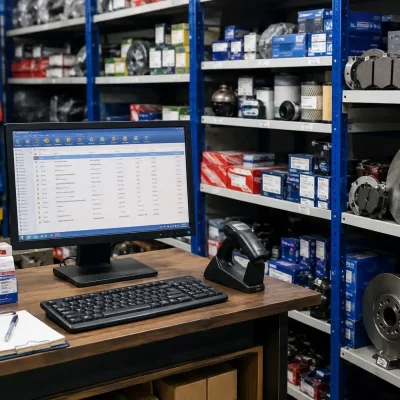
Managing inventory manually often leads to stock shortages or excess inventory. A modern billing and inventory software automatically updates stock levels whenever a sale is completed.
Barcode Scanning
Barcode support speeds up billing while reducing pricing mistakes. It also makes product searches much faster, especially for shops with a large inventory.
Sales Reports
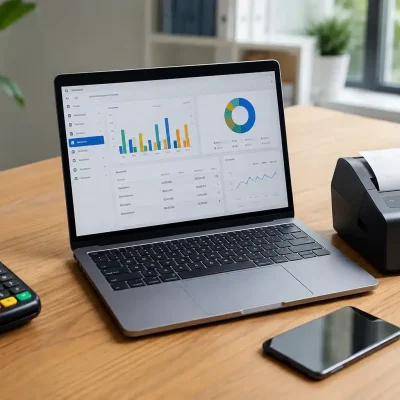
Business decisions should be based on real numbers, not assumptions. Detailed reports help you understand daily sales, top-selling products, and overall business performance.
Multiple Payment Options
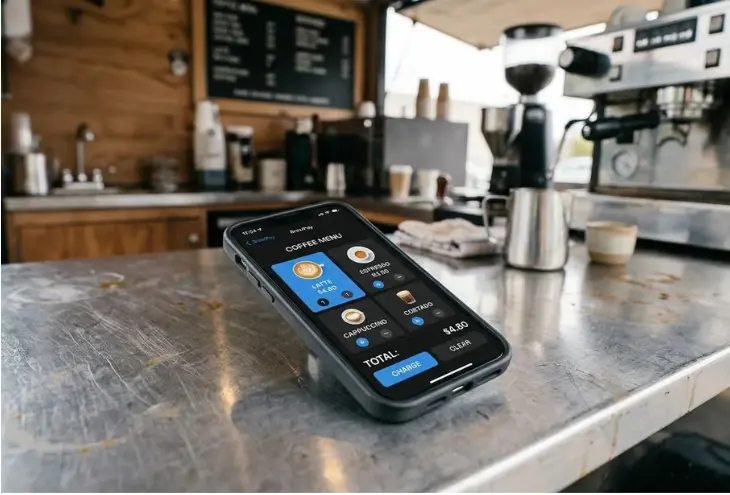
Customers now prefer different payment methods, including cash, debit cards, credit cards, and digital wallets. Good billing software should support multiple payment options to improve the customer experience.
Tax Compliance
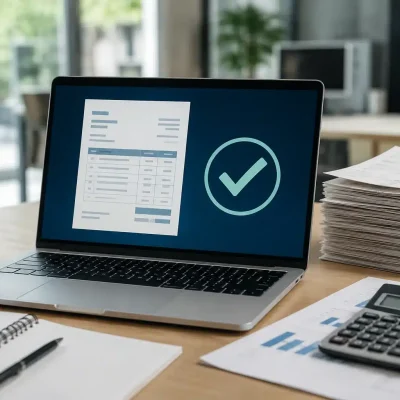
Businesses operating in Pakistan should consider FBR integrated billing software to simplify tax reporting and comply with government regulations.
How to Choose the Right Billing Software
Choosing billing software requires careful planning. Based on real implementation experience, these steps can help you make the right decision.
First, identify your business requirements. Consider the number of products you sell, daily transactions, and future expansion plans.
Next, compare features instead of focusing only on price. Cheaper software may lack inventory management, reporting, or barcode functionality.
Also, choose software that is easy to use. One common mistake companies make is purchasing complicated software that employees find difficult to operate.
Finally, ensure the software provider offers technical support and regular updates. Reliable customer support becomes valuable whenever technical issues arise.
Benefits of Using Billing Software
The right shop management software provides much more than invoice generation. It improves nearly every aspect of your retail business.
Some major benefits include:
- Faster billing process
- Better inventory control
- Accurate financial records
- Reduced manual errors
- Improved customer satisfaction
- Real-time sales reporting
- Better business decisions
- Secure business data
- Easier tax management
- Higher employee productivity
From working with clients, I have found that businesses usually recover their software investment through improved efficiency and reduced operational errors.
Billing Software vs Manual Billing
| Feature | Manual Billing | Billing Software |
|---|---|---|
| Invoice Creation | Slow | Instant |
| Inventory Updates | Manual | Automatic |
| Human Errors | High | Very Low |
| Sales Reports | Manual | Real Time |
| Customer Experience | Average | Excellent |
| Business Growth | Limited | Easy to Scale |
The comparison clearly shows why more retailers are moving toward digital billing solutions.
Common Mistakes to Avoid
Many businesses invest in software but fail to achieve the expected results because they overlook important factors.
One common mistake is choosing software based only on price. Although affordable solutions may appear attractive, they often lack essential features.
Another mistake is ignoring employee training. Even the best software cannot improve business performance if staff members do not know how to use it correctly.
I’ve also seen businesses delay software updates. As a result, they miss security improvements and new features that could improve daily operations.
Finally, many retailers overlook future growth. Always choose billing software that can support additional products, users, and multiple store locations as your business expands.
Why OneClickPOS Is a Reliable Choice
If you are looking for an all-in-one retail solution, OneClickPOS offers everything a small business needs to manage daily operations efficiently.
It combines billing software for small business, inventory management, barcode scanning, customer management, reporting, and point of sale software into a single platform.
Additionally, businesses can explore the POS Software solution to understand how advanced billing features improve retail operations. You can also learn more about the Inventory Management System to manage stock accurately and reduce inventory losses.
With its user-friendly interface and reliable performance, OneClickPOS helps retailers save time while improving customer service.
FAQs
Billing software is a digital solution that automates invoice creation, payment processing, inventory updates, and sales reporting.
Yes. Billing software for small business owners helps improve efficiency, reduce errors, and simplify daily operations.
POS billing software combines billing, inventory management, customer management, and payment processing into one system.
Accurate inventory management helps prevent stock shortages, reduces losses, and improves purchasing decisions.
Businesses in Pakistan should consider FBR integrated billing software because it supports tax compliance and simplifies invoice reporting.
Conclusion
Choosing the right billing software is one of the smartest investments a small retailer can make. It not only speeds up billing but also improves inventory management, reduces manual errors, and provides valuable business insights. As customer expectations continue to grow, using modern technology has become essential for staying competitive.
If you want a reliable and easy-to-use retail solution, OneClickPOS provides everything your business needs in one platform. Backed by the expertise of Eyecon Consultant, it helps retailers streamline billing, manage inventory efficiently, and improve overall business performance. Contact Eyecon Consultant today to discover how OneClickPOS can help your shop grow with confidence.