Running a business is challenging enough without worrying about inventory-related losses. Yet, many businesses unknowingly lose thousands every month because of inaccurate stock records, overstocking, stock shortages, damaged goods, and manual inventory errors. These issues not only reduce profits but also damage customer trust and slow business growth.
This is where Inventory Management Software makes a significant difference. Rather than relying on spreadsheets or manual stock counting, businesses can automate inventory tracking, monitor stock in real time, and make smarter purchasing decisions. In my experience working with retailers, wholesalers, and distributors, companies often focus on increasing sales while overlooking inventory control. However, I’ve repeatedly seen that improving inventory management alone can dramatically reduce unnecessary business losses.
Today, businesses operate in highly competitive markets where every product, every order, and every customer matters. Therefore, investing in the right inventory management system and FBR POS integration software is no longer a luxury—it has become an essential part of profitable business operations.
Understanding Inventory Management Software
Inventory Management Software is a digital solution that helps businesses track, manage, and control inventory throughout the entire supply chain. Instead of updating stock manually, the software automatically records inventory movement whenever products are purchased, sold, transferred, or returned.
Based on real implementation experience, one of the biggest advantages is visibility. Business owners no longer have to guess how much inventory is available because they can monitor stock levels instantly.
Modern inventory management systems typically include:
- Real-time inventory tracking
- Barcode scanning
- Automated stock updates
- Purchase order management
- Supplier management
- Inventory reporting
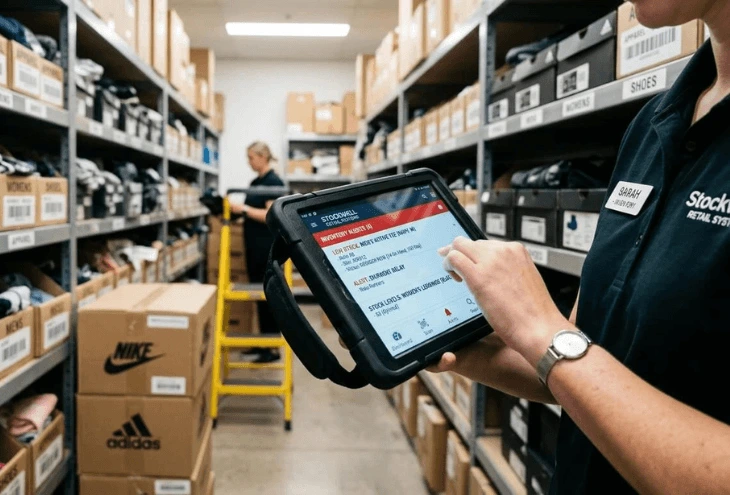
- Low-stock alerts
- Warehouse management
- Multi-location inventory control
Consequently, businesses gain complete control over their inventory while minimizing costly mistakes.
Common Causes of Business Losses
Before discussing the solution, it’s important to understand where losses actually come from.
One common mistake companies make is assuming inventory losses only happen because of theft. In reality, poor inventory practices create far bigger financial problems.
Some of the most common causes include:
- Overstocking slow-moving products
- Running out of high-demand items
- Manual stock entry mistakes
- Duplicate purchasing
- Inventory shrinkage
- Damaged or expired products
- Poor warehouse organization
- Inaccurate stock reports
I’ve seen many businesses discover inventory differences worth thousands of dollars during annual stock audits simply because manual records were never updated correctly.
Fortunately, these issues can be significantly reduced through automation.
How Inventory Management Software Reduces Business Losses
One of the biggest strengths of Inventory Management Software is its ability to eliminate unnecessary costs before they become serious financial problems.
Improves Inventory Accuracy
Accurate inventory records are the foundation of profitable operations.
Manual inventory updates often lead to counting mistakes, duplicate entries, and incorrect stock balances. However, inventory tracking software updates stock automatically after every transaction.
As a result, businesses always know exactly what products are available.
From working with clients, I’ve noticed that inventory accuracy improves dramatically once barcode scanning and automated stock updates replace handwritten records.
Prevents Overstocking
Buying too much inventory ties up valuable cash.
Without proper inventory forecasting, businesses often purchase products based on assumptions rather than actual sales trends.
Inventory optimization tools analyze sales history and purchasing patterns, allowing businesses to maintain ideal stock levels.
Therefore, businesses reduce storage costs while improving cash flow.
Reduces Stockouts
Running out of popular products can be just as expensive as overstocking.
Customers who cannot find their desired products often purchase from competitors instead.
Inventory Management Software sends automatic low-stock notifications before products reach critical levels.
Consequently, businesses reorder products at the right time and avoid losing sales opportunities.
Minimizes Human Errors
Human errors remain one of the leading causes of inventory losses.
In my experience, businesses relying on manual spreadsheets spend countless hours correcting inventory mistakes.
Inventory control systems automate repetitive processes, reducing errors related to:
- Data entry
- Product counting
- Purchase orders
- Stock transfers
- Sales recording
As a result, employees spend less time fixing mistakes and more time serving customers.
Prevents Inventory Shrinkage
Inventory shrinkage occurs when physical stock differs from recorded inventory.
This may happen due to theft, administrative mistakes, supplier errors, or damaged goods.
Advanced inventory management systems track every inventory movement.
Moreover, detailed audit trails help businesses identify unusual inventory activities before they become major losses.
Improves Warehouse Efficiency
Poor warehouse organization often leads to misplaced products, delayed shipments, and unnecessary labor costs.
Warehouse management software organizes inventory based on product categories, locations, and movement frequency.
What works best in practice is assigning barcode locations for every storage area. This simple improvement significantly reduces picking errors while speeding up order fulfillment.
Supports Better Business Decisions
Inventory software doesn’t simply track products—it provides valuable business intelligence.
Business owners gain access to reports showing:
- Best-selling products
- Slow-moving inventory
- Seasonal demand
- Inventory turnover
- Purchase trends
- Supplier performance
Therefore, decision-making becomes based on real data instead of assumptions.
Inventory Management Software vs Manual Inventory Tracking
| Feature | Manual Inventory | Inventory Management Software |
|---|---|---|
| Inventory Accuracy | Low | High |
| Stock Updates | Manual | Automatic |
| Human Errors | Frequent | Minimal |
| Inventory Visibility | Limited | Real-Time |
| Stock Alerts | No | Yes |
| Reporting | Time-Consuming | Instant |
| Business Growth | Difficult | Scalable |
| Inventory Loss Prevention | Limited | Excellent |
Based on real implementation experience, businesses moving from spreadsheets to automated inventory systems often notice immediate improvements in inventory accuracy and operational efficiency.
Step-by-Step Guide to Implement Inventory Management Software
Implementing an inventory management system doesn’t have to be complicated. Following the right process ensures a smooth transition.
- Evaluate your current inventory process.
- Identify inventory challenges and business goals.
- Select software that matches your business size.
- Import accurate product data.
- Set up barcode scanning.
- Train employees thoroughly.
- Enable automated stock alerts.
- Monitor reports regularly.
- Perform routine inventory audits.
- Continuously optimize inventory levels using analytics.
Following these steps helps businesses maximize their return on investment while minimizing implementation challenges.
Best Practices for Better Inventory Control
After working with businesses across multiple industries, I’ve found several practices consistently deliver excellent results.
- Perform regular inventory audits.
- Use barcode scanning for every transaction.
- Monitor inventory reports weekly.
- Set minimum stock levels.
- Remove slow-moving inventory promptly.
- Train staff on inventory procedures.
- Review supplier performance regularly.
- Use sales data for inventory forecasting.
- Automate purchase orders whenever possible.
Although these practices appear simple, they collectively reduce inventory losses significantly.
Common Mistakes Businesses Should Avoid
Many businesses purchase powerful inventory software but fail to use it effectively.
Common mistakes include:
- Delaying inventory updates.
- Ignoring low-stock notifications.
- Skipping employee training.
- Failing to audit inventory regularly.
- Keeping duplicate product records.
- Overstocking based on guesswork.
- Not reviewing inventory reports.
- Choosing software that cannot scale with business growth.
I’ve seen businesses blame software for inventory issues when the real problem was inconsistent processes.
FAQs
Inventory Management Software is a digital solution that tracks, manages, and controls stock levels while automating inventory-related tasks.
It reduces losses by improving inventory accuracy, preventing stock shortages, minimizing overstocking, reducing human errors, and detecting inventory shrinkage.
Yes. Small businesses benefit greatly because automation saves time, improves stock control, and reduces unnecessary operating costs.
Yes. Most modern inventory management systems integrate seamlessly with barcode scanners for faster and more accurate stock management.
Although software provides real-time tracking, businesses should still perform periodic physical inventory audits to ensure complete accuracy.
Retail stores, wholesalers, distributors, pharmacies, supermarkets, warehouses, manufacturers, and eCommerce businesses all benefit from inventory management software.
Conclusion
Inventory losses rarely happen because of a single mistake—they usually result from inefficient processes, inaccurate stock records, and delayed decision-making. By implementing Inventory Management Software, businesses can improve inventory accuracy, reduce costly errors, optimize stock levels, and build a more profitable operation. If you’re looking for a reliable inventory management solution that simplifies stock control and supports business growth, EyeconConsultant is here to help. Visit Oneclick to explore advanced inventory management solutions designed to reduce business losses, improve operational efficiency, and keep your inventory under complete control.