A busy store, a long checkout line, and a customer waiting while staff search for the correct price—it’s a situation many retailers in Lahore know too well. Small delays like these can hurt customer satisfaction and even lead to lost sales. That’s why more businesses are investing in the Best POS Software in Lahore to simplify billing, manage inventory, and improve daily operations. Whether you own a grocery store, pharmacy, fashion outlet, or supermarket, choosing the right POS solution can help you work smarter and grow with confidence.
Why is POS Software Important for Businesses in Lahore?
Retail competition in Lahore has grown significantly over the past few years. Customers now expect quick service, accurate billing, and multiple payment options. Meanwhile, business owners must manage increasing inventory, supplier relationships, and day-to-day operations without compromising accuracy.
One common mistake companies make is relying on manual processes for too long. Initially, handwritten invoices or spreadsheets may seem manageable. However, as the business grows, these methods often create billing errors, stock mismatches, and reporting issues.
Based on real implementation experience, businesses that switch to a modern POS System Lahore often notice improvements in several areas within the first few weeks.
Faster Billing
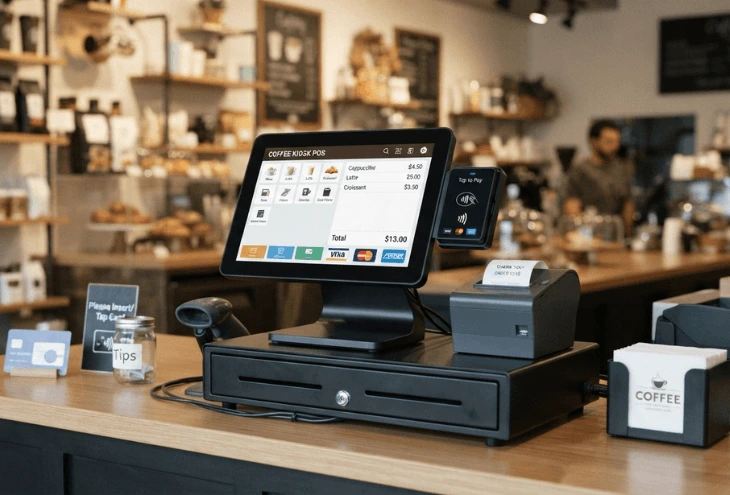
Manual billing slows down customer service, especially during peak hours. A reliable Billing Software Lahore speeds up checkout through barcode scanning and automated calculations, allowing staff to serve more customers in less time.
Better Inventory Control
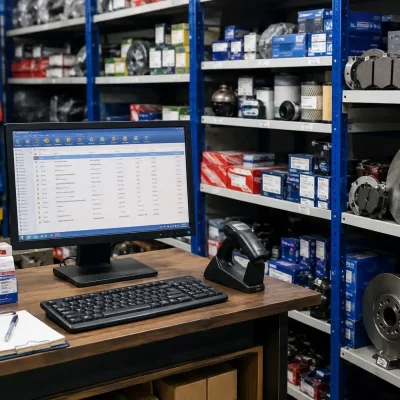
Inventory errors can directly affect profits. A dependable Inventory Management Software Lahore automatically updates stock levels after every sale, helping businesses avoid overstocking, stock shortages, and unnecessary purchases.
Improved Business Decisions
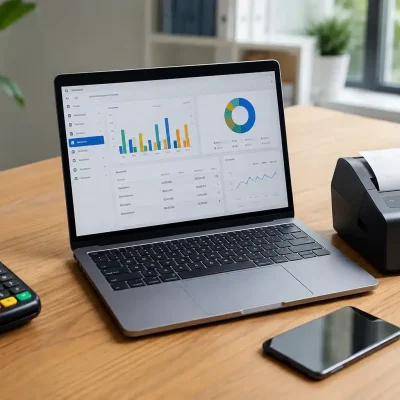
Many business owners make decisions based on assumptions rather than data. A POS system changes that by providing detailed reports on sales, best-selling products, slow-moving items, and profit margins.
Consequently, purchasing decisions become more accurate, and marketing campaigns become more effective.
Better Customer Experience
Customers appreciate businesses that provide quick service and accurate billing. Faster checkout not only improves customer satisfaction but also increases the chances of repeat purchases.
Supports Business Growth
Whether you operate one outlet today or plan to expand in the future, a modern Retail POS Software Lahore grows with your business. Features such as multi-branch management, centralized reporting, and cloud access make expansion much easier.
Why More Retailers Are Switching to POS Software
From my experience, retailers usually upgrade to POS software after facing one or more of these challenges:
- Long billing queues
- Frequent inventory mismatches
- Difficulty tracking daily sales
- Manual reporting taking too much time
- Limited control over multiple branches
- Lack of real-time business insights
Instead of hiring more staff to solve these issues, many businesses discover that implementing the right software delivers better results while reducing operational costs.
Which Businesses Benefit Most from POS Software?
Different industries have different operational requirements. Fortunately, today’s POS solutions are flexible enough to support various business models.
| Business Type | How POS Software Helps |
|---|---|
| Supermarkets | Barcode billing, stock management, promotions |
| Pharmacies | Medicine inventory, expiry tracking, billing |
| Restaurants | Order management, kitchen coordination, table billing |
| Retail Stores | Inventory control, customer management, sales reports |
| Wholesale Businesses | Bulk billing, purchase management, supplier tracking |
| Fashion Stores | Size and color variants, inventory management |
| Electronics Shops | Warranty tracking, serial number management |
In my experience, supermarkets and pharmacies often see the fastest return on investment because they handle thousands of inventory items that require continuous monitoring.
Likewise, restaurants benefit from faster order processing and better coordination between billing counters and kitchen staff.
How to Successfully Implement POS Software in Your Business
Choosing the right software is only the first step. A successful implementation requires proper planning, staff training, and continuous monitoring. From working with clients across different retail sectors, I’ve noticed that businesses that follow a structured implementation process experience fewer disruptions and achieve faster results.
Step 1: Assess Your Business Requirements
Before selecting a solution, identify your operational needs.
Consider questions such as:
- How many branches do you operate?
- How many products do you manage?
- Do you require cloud access?
- Will you integrate barcode scanners and receipt printers?
- Do you need customer loyalty features?
- Are detailed inventory reports important?
Answering these questions helps narrow down the right POS Software in Lahore for your business instead of paying for unnecessary features.
Step 2: Choose Industry-Specific POS Software
Different industries require different capabilities.
For example:
- Supermarket POS Software Lahore should support barcode scanning, promotions, and fast checkout.
- Pharmacy POS Software Lahore should include expiry tracking, medicine inventory, and batch management.
- Restaurant POS Software Lahore should simplify order management, kitchen coordination, and table billing.
What works best in practice is selecting software designed specifically for your business rather than relying on a generic solution.
Step 3: Import Products and Inventory
Once your software is installed, upload your product catalog, supplier information, pricing, and opening stock.
Although this step requires careful attention, it creates a reliable foundation for future inventory management.
Double-check product categories, barcode details, and pricing before going live.
Step 4: Train Your Staff
Even the most advanced software delivers limited value if employees don’t know how to use it.
Based on real implementation experience, businesses that invest time in staff training experience:
- Faster adoption
- Fewer billing mistakes
- Improved customer service
- Better inventory accuracy
Therefore, conduct hands-on training sessions before launching the system.
Step 5: Monitor Performance and Optimize
Implementation doesn’t end after installation.
Review your reports regularly to identify:
- Fast-moving products
- Slow-selling inventory
- Employee productivity
- Daily sales trends
- Customer purchasing patterns
As a result, your business continues improving instead of simply maintaining daily operations.
Best Practices for Getting Maximum Value from POS Software
Installing software alone won’t transform your business. Instead, consistent usage and proper management produce the best results.
Here are some proven practices I’ve seen deliver long-term success:
- Keep inventory records updated every day.
- Train new employees before they begin handling sales.
- Review sales and inventory reports regularly.
- Perform scheduled data backups, even when using cloud solutions.
- Restrict system access based on employee roles.
- Analyze customer buying trends before launching promotions.
- Update the software whenever new features and security improvements become available.
- Integrate barcode scanning to speed up checkout and reduce manual errors.
Furthermore, use reporting dashboards to guide business decisions rather than relying on assumptions. Small adjustments based on real data often lead to significant improvements in profitability.
FAQs
The best POS Software in Lahore is one that matches your business size, industry, and operational requirements. Look for features such as inventory management, cloud access, reporting, barcode billing, and multi-branch support.
Yes. Cloud POS Software Lahore allows business owners to monitor sales, inventory, and reports remotely while providing automatic backups and easier software updates.
Retail stores, supermarkets, pharmacies, restaurants, wholesalers, clothing stores, electronics shops, and convenience stores all benefit from modern POS solutions.
Absolutely. A quality Inventory Management Software Lahore updates stock levels after every sale, purchase, or return, helping reduce inventory errors and stock shortages.
Yes. Small businesses can improve billing accuracy, inventory tracking, customer service, and overall efficiency while preparing for future growth.
Yes. Modern POS systems generate reports on sales, profits, inventory, employee performance, customer trends, and product performance to support better decision-making.
Conclusion
Managing a retail business has become far more demanding than it was just a few years ago. Customers expect quick service, accurate billing, and a seamless shopping experience, while business owners need complete visibility into inventory, sales, and overall performance. As competition continues to grow, relying on manual processes is no longer a sustainable option.
At OneClick, we understand the challenges businesses face because we’ve helped retailers across various industries modernize their operations with smart, scalable POS solutions. Backed by the expertise of the Eyecon Consultant team, we deliver tailored systems designed to simplify business management, increase productivity, and support long-term growth.
If you’re ready to upgrade your business with a powerful, user-friendly POS solution, contact OneClick today. Our experts will help you choose the right system for your business needs and ensure a smooth implementation, allowing you to focus on what matters most—serving your customers and growing your business.