Running a supermarket or retail store involves much more than scanning products and collecting payments. Every day, retailers have to manage hundreds of transactions, inventory, suppliers, discounts, returns, employees, and customer records. At the same time, businesses in Pakistan need to pay close attention to evolving digital tax and invoicing requirements.
That is why FBR-Compliant POS Software for Supermarkets & Retail Stores has become an important technology investment for modern retailers.
A well-designed POS system connects billing, inventory, purchasing, reporting, and customer management in one place. In addition, an FBR-integrated setup can help eligible businesses handle applicable electronic invoicing and POS requirements more efficiently.
For supermarkets, grocery stores, departmental stores, and growing retail chains, the goal should not simply be to replace a cash register. The right POS system should make everyday operations faster, provide better control over stock and sales, and give management reliable information for decision-making.
What Is FBR-Compliant POS Software for Supermarkets & Retail Stores?
FBR-Compliant POS Software for Supermarkets & Retail Stores is a point-of-sale solution designed to manage retail transactions while supporting the applicable integration and electronic invoicing requirements of the Federal Board of Revenue (FBR).
In practical terms, the software can connect several important business activities:
Product → Barcode → Sale → Tax Calculation → Invoice → Inventory Update → Reporting
Instead of recording these activities separately, the POS creates a connected workflow.
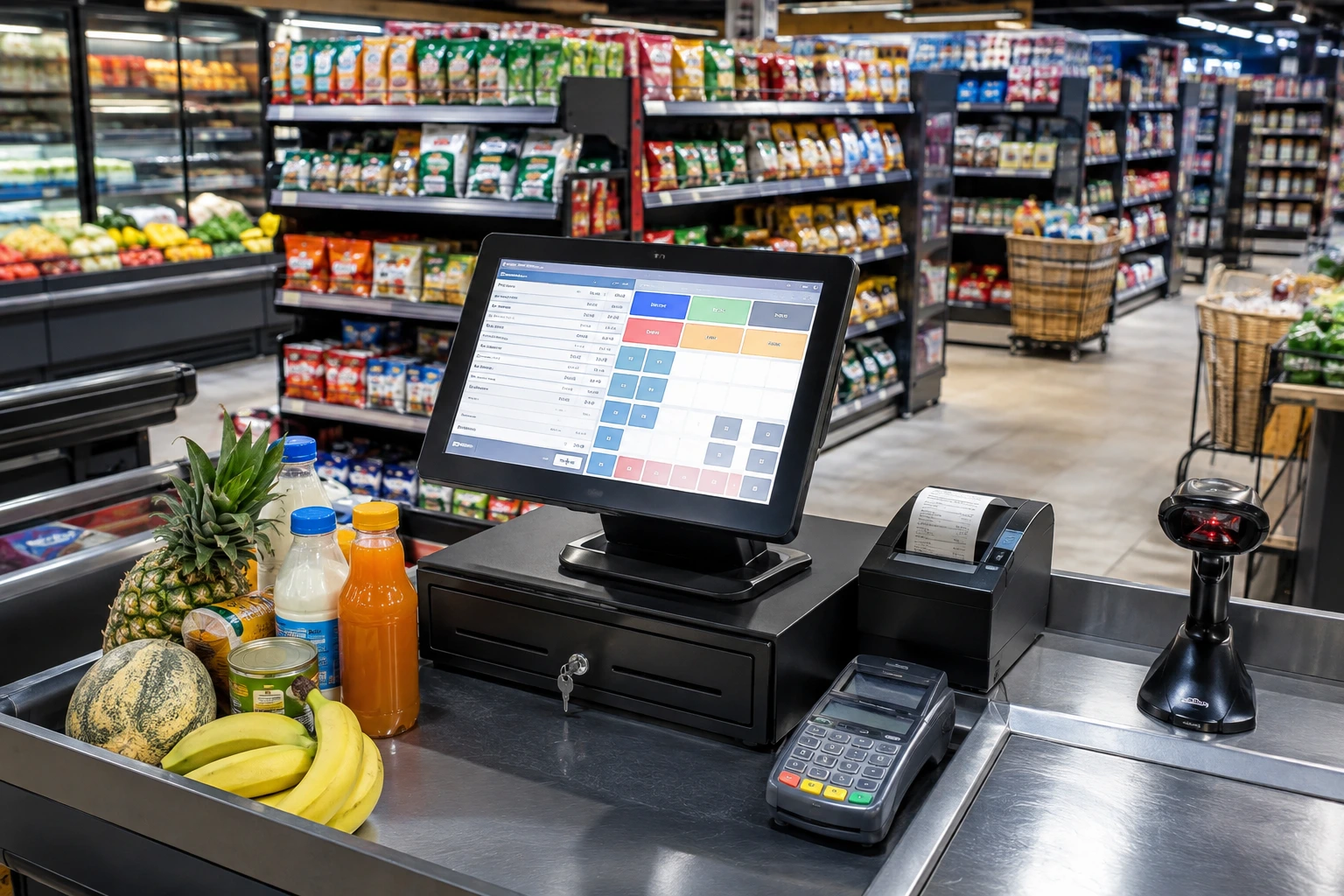
For example, when a customer purchases five products from a supermarket, the cashier can scan each barcode. The system retrieves the product information, calculates the bill according to the configured pricing and tax rules, processes the payment, records the transaction, and updates inventory.
Where FBR integration applies, the system can also support the required electronic transaction or invoice workflow.
FBR currently publishes separate resources covering POS legal provisions, technical assistance, integrated retailers, invoice verification, and digital invoicing.
Why Is FBR Integration Important for Retailers?
Digital tax systems are becoming an increasingly important part of retail operations in Pakistan.
FBR’s published data shows that, up to June 30, 2026, 13,454 integrations covering 37,122 branches were listed in its POS-integrated retailer data. This included 11,798 Tier-1 retailer integrations covering 24,687 branches.
This scale shows that POS integration is no longer a niche requirement for a small group of businesses. For eligible retailers, choosing software that can support the applicable FBR process is becoming an important part of technology planning.
However, retailers should not assume that every business has identical obligations. Requirements can depend on the business category, registration status, applicable rules, and current FBR notifications. Therefore, businesses should verify their specific requirements before implementation.
Why Do Supermarkets Need an FBR-Compliant POS System?
A supermarket can have thousands of SKUs, several cash counters, multiple employees, frequent purchases, returns, discounts, and large volumes of daily transactions.
When these processes depend on spreadsheets, notebooks, or disconnected billing software, small errors can quickly become expensive.
An integrated POS system helps solve this problem by bringing the core operations together.
1. Faster Checkout and Billing
Speed matters at the checkout counter.
During weekends, holidays, or promotional campaigns, even a small delay at each counter can create long queues.
Barcode-based POS billing allows cashiers to scan products instead of entering product details manually. The system can then calculate the total and generate the invoice.
This helps retailers:
- Reduce manual data entry
- Process customers faster
- Minimize pricing mistakes
- Improve cashier productivity
- Reduce checkout queues
2. Real-Time Inventory Management
Inventory is one of the biggest challenges for supermarkets.
Imagine a grocery store selling 5,000 different products. If staff manually update stock after every sale, maintaining accurate records becomes extremely difficult.
With POS inventory management, every completed sale can update the relevant stock quantity.
Managers can then monitor:
- Current stock
- Low-stock products
- Fast-moving products
- Slow-moving products
- Purchase quantities
- Sales quantities
- Stock adjustments
- Product returns
As a result, management can make purchasing decisions based on actual sales data instead of guesswork.
3. Better Control Over Multiple Counters
A busy supermarket may have several billing counters operating simultaneously.
POS system allows management to monitor transactions across different users and counters.
This can make it easier to identify:
- Sales by cashier
- Sales by counter
- Shift performance
- Payment collections
- Discounts
- Returns
- Daily totals
Therefore, owners get a clearer picture of what is happening inside the store.
4. Accurate Digital Records
Paper-based records are difficult to search, compare, and analyze.
A digital POS creates a transaction history that management can review whenever necessary.
Instead of asking, “How much did we sell last Tuesday?”, an owner can simply generate a report.
That makes the business more measurable and easier to manage.
How Does FBR-Compliant POS Software Work?
The exact technical setup depends on the applicable FBR requirements and the retailer’s configuration. However, the general retail workflow is straightforward.
Product Is Scanned
Cashier scans the product barcode.
Product Information Is Retrieved
POS identifies the product and retrieves its configured price and other relevant information.
The Bill Is Calculated
System calculates quantities, discounts, applicable taxes, and the final payable amount according to the configured rules.
Payment Is Recorded
The cashier records the customer’s payment using the available payment method.
Invoice Is Generated
System generates the applicable invoice or receipt.
Inventory Is Updated
Sale reduces the relevant inventory quantity.
FBR Integration Is Processed
Where applicable, the system communicates the required transaction or invoice information through the configured FBR integration process.
FBR provides technical documentation for digital invoicing API integration and maintains dedicated technical resources for these processes.
This connected workflow is much more efficient than maintaining separate billing, inventory, and reporting systems.
Key Features of FBR-Compliant POS Software for Supermarkets & Retail Stores
The best solution should do more than connect a retailer with a tax system. It should also solve everyday operational problems.
Barcode Billing
Barcode scanning is essential for supermarkets because it makes product identification quick and consistent.
Instead of searching manually for every product, cashiers can scan the barcode and immediately add the item to the bill.
Real-Time Stock Tracking
Every purchase, sale, return, and stock adjustment affects inventory.
A POS system can keep these movements organized and provide current stock information.
This is particularly useful for grocery stores where products move quickly.
Multi-User Access
Different employees may have different responsibilities.
A POS can provide user-based access so that cashiers, supervisors, inventory managers, and owners can work according to their roles.
Multi-Branch Management
Growing retailers often operate more than one location.
A scalable POS can help businesses manage multiple branches, warehouses, users, and sales records from a centralized environment.
Purchase Management
Retail inventory starts with purchasing.
A strong POS should connect supplier purchases with inventory so management can understand how much stock was purchased, sold, and remaining.
Sales Returns
Returns are a normal part of retail.
The POS should allow authorized staff to process returns while maintaining a proper transaction history and adjusting stock according to the configured workflow.
Multiple Payment Methods
Modern retailers may accept cash, cards, bank transfers, or other digital payment methods.
Recording these methods separately makes reconciliation and reporting easier.
Sales and Inventory Reports
Reports turn raw transactions into useful business information.
Common reports include:
- Daily sales reports
- Monthly sales reports
- Product-wise sales
- Category-wise sales
- Cashier-wise sales
- Purchase reports
- Stock reports
- Return reports
- Discount reports
- Payment reports
Customer Management
A POS can also maintain customer information and purchase history where the retailer’s business model requires it.
This can support loyalty programs, repeat-customer analysis, and personalized promotions.
FBR-Compliant POS Software vs Traditional Billing Software
There is an important difference between basic billing software and a complete retail POS platform.
| Feature | Traditional Billing Software | FBR-Compliant Retail POS |
|---|---|---|
| Basic billing | Yes | Yes |
| Barcode scanning | Sometimes | Yes |
| Inventory management | Limited | Advanced |
| Real-time stock updates | Limited | Yes |
| Purchase management | Limited | Yes |
| Multi-user access | Basic | Advanced |
| Multi-branch management | Limited | Available |
| Sales reporting | Basic | Detailed |
| Returns management | Basic | Integrated |
| FBR integration support | May not be available | Designed for applicable integration |
| Business analytics | Limited | Advanced |
| Customer management | Basic | Available |
The important point is that FBR compliance should not be treated as the only feature that matters.
A supermarket still needs fast billing, accurate inventory, purchasing, reporting, and user management.
Therefore, retailers should evaluate the complete system rather than choosing software based only on the words “FBR integrated.”
What Are the Benefits of FBR-Compliant POS Software?
The benefits go beyond electronic invoicing.
Better Operational Efficiency
Automating repetitive processes reduces manual work.
Cashiers spend less time calculating bills, while managers spend less time preparing reports.
Fewer Manual Errors
Barcode scanning and automated calculations reduce the risk of common billing and inventory mistakes.
Better Stock Control
Real-time inventory information helps businesses identify shortages and excess stock earlier.
Faster Decision-Making
Managers can use sales and inventory reports to identify trends and make purchasing decisions faster.
Improved Customer Experience
Fast checkout and accurate invoices create a smoother shopping experience.
Better Business Visibility
Instead of relying on assumptions, owners can see actual sales, stock, returns, and payment data.
Easier Management of Growing Businesses
As a retailer adds products, employees, counters, or branches, a scalable POS can help maintain centralized control.
Practical Example: How a Supermarket Can Use POS Software
Consider a supermarket with four billing counters and approximately 8,000 products.
During the evening rush, each cashier scans products using a barcode scanner.
A customer purchases:
- 2 packs of milk
- 1 bottle of cooking oil
- 3 snack items
- 1 detergent
- 2 beverage bottles
The POS retrieves the product prices, calculates the bill, applies any configured discounts or taxes, and processes the payment.
At the same time, the inventory quantities are updated.
The store manager can later view the transaction in the sales report.
More importantly, the manager can check how many units of each product remain in stock.
If cooking oil is selling faster than expected, the purchasing team can use that information to plan the next order.
This is the practical value of POS software: one transaction creates useful information across multiple parts of the business.
How FBR Invoice Verification Works
For purchases from integrated Tier-1 retailers, FBR provides customers with invoice verification options.
According to FBR, customers can use the Tax Asaan App to verify an electronically generated invoice by entering the FBR invoice number or scanning the QR code printed on the receipt. FBR also provides an SMS-based verification method using 9966.
This adds another layer of transparency to electronic retail invoicing.
For retailers, it reinforces the importance of configuring their POS and invoice workflow correctly.
Who Can Benefit From FBR-Compliant Retail POS Software?
Although requirements vary between businesses, an integrated retail POS can be useful for:
- Supermarkets
- Grocery stores
- Departmental stores
- Karyana stores
- Retail chains
- General stores
- Garment retailers
- Electronics retailers
- Cosmetics stores
- Specialty stores
- Wholesale and retail businesses
The system can be particularly valuable for businesses handling large product catalogs or multiple locations.
For example, a small shop may initially need only basic billing and stock management. However, as the business grows, it may require multiple counters, advanced reporting, centralized inventory, and branch management.
Choosing scalable software early can make that transition easier.
What Should You Check Before Choosing FBR-Compliant POS Software?
Buying POS software is a long-term business decision.
Before signing up, ask the provider these questions.
1. Does It Support the Applicable FBR Requirements?
Do not simply ask whether the software is “FBR compliant.”
Ask the provider to explain:
- What type of integration is supported?
- What information is transmitted?
- How is invoice generation handled?
- What happens if there is a connectivity issue?
- Who handles technical configuration?
- What support is provided after implementation?
Also verify your specific obligations against current FBR requirements.
2. Can It Handle Your Inventory?
Ask whether the system supports the number of products, warehouses, branches, and stock movements your business requires.
3. Can It Scale With Your Business?
Your POS should not become a limitation when your business expands.
Check support for:
- Multiple branches
- Multiple warehouses
- Multiple cash counters
- Multiple users
- Large product catalogs
4. Is Reporting Detailed Enough?
Ask to see actual reports before purchasing.
A good retail POS should help answer questions such as:
Which products sell the most?
Which products are running low?
How much did each cashier sell today?
5. What Support Is Included?
POS software is part of daily business operations.
Therefore, support matters.
Ask about installation, staff training, troubleshooting, updates, and ongoing technical assistance.
Best Practices for Implementing Retail POS Software
Even good software can fail if implementation is poorly planned.
Follow these steps for a smoother transition.
Start With Accurate Product Data
Before going live, clean your product list.
Check:
- Product names
- Barcodes
- Selling prices
- Purchase prices
- Categories
- Tax configurations
- Opening stock
Train Cashiers Before Launch
Cashiers should practice common scenarios such as:
- Normal sales
- Discounts
- Returns
- Multiple payment methods
- Barcode scanning
- Invoice printing
Set User Permissions
Give employees access according to their responsibilities.
For example, cashiers may not need the same permissions as managers.
Review Reports Regularly
Do not wait until the end of the month to analyze performance.
Daily and weekly reports can help identify problems earlier.
Keep FBR Requirements Under Review
Tax and digital invoicing requirements can change.
Therefore, retailers should periodically review official FBR updates and confirm that their integration remains aligned with applicable requirements.
FBR maintains a dedicated section for POS legal provisions and publishes relevant rules, SROs, and other documents.
Why OneClick POS Is Built for Retail Operations
OneClick provides POS software designed to help businesses manage sales, inventory, customers, and reporting from one platform.
Its retail and grocery capabilities include barcode-based billing, inventory tracking, multiple payment methods, returns, loyalty functionality, and support for multi-location operations.
For supermarkets and grocery businesses specifically, OneClick also highlights real-time stock management, barcode scanning, weight-scale support, and reporting.
You can learn more about the platform through the OneClick POS Software website or explore its Retail POS Software solution to understand how it can fit into a retail operation.
For businesses that want to improve their retail workflow, the best approach is to see the system in action and compare its features with actual business requirements.
FBR-Compliant POS Software can help businesses create a more organized billing process, improve inventory visibility, reduce manual work, and manage digital invoicing requirements more effectively.
Book a OneClick POS demo today and see how a modern POS system can simplify your supermarket or retail store operations.