Running a small business today is far more challenging than it was a decade ago. As customer expectations continue to rise, competition is becoming increasingly intense, and business owners are expected to manage sales, inventory, customer relationships, and financial records simultaneously. As a result, relying on manual processes or outdated billing methods can quickly limit efficiency and slow business growth. This is why POS Software for Small Businesses has become one of the most valuable investments a growing business can make.
Over the years, while working with clients across retail stores, pharmacies, grocery shops, restaurants, and wholesale businesses, I have seen firsthand how the right POS system transforms daily operations. Initially, many business owners adopt it simply to improve billing. However, they soon discover that it becomes the backbone of their entire business. Today, modern POS software is much more than a digital cash register. Instead, it serves as a complete business management platform that helps owners streamline operations, make data-driven decisions, save valuable time, and improve overall profitability.
Improved Sales Management and Faster Transactions
One of the most immediate POS software benefits is faster transaction processing. Customers today expect quick service, especially during peak business hours. Long queues often result in frustrated customers and lost sales opportunities.
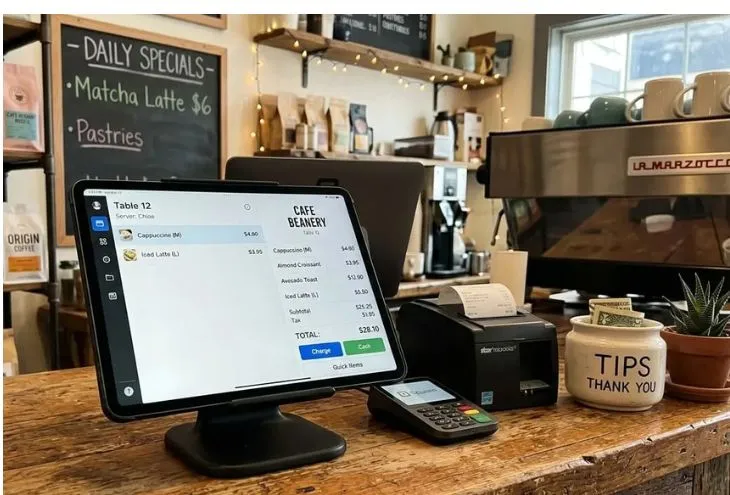
A modern Point of sale system speeds up billing by automating calculations, discounts, taxes, and payment processing. Instead of manually entering prices or preparing handwritten invoices, staff can complete transactions within seconds.
Based on real implementation experience, businesses often notice a significant reduction in checkout times after adopting POS software. Faster service not only improves customer satisfaction but also increases the number of transactions that can be processed each day.
Better Inventory Control and Stock Management
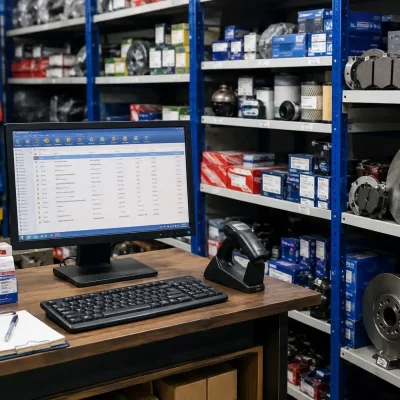
Inventory problems are among the biggest challenges small businesses face. Overstocking ties up valuable capital, while stock shortages lead to missed sales opportunities.This is where Inventory management software integrated with a POS system becomes extremely valuable.I’ve seen many businesses discover hidden inventory issues only after implementing a POS solution. Products that were previously assumed to be available were actually out of stock, while slow-moving items occupied valuable shelf space.
A Retail management system provides real-time inventory visibility, helping businesses:
- Track stock levels automatically
- Receive low-stock alerts
- Identify fast-selling products
- Reduce inventory losses
- Improve purchasing decisions
What works best in practice is using inventory reports regularly instead of waiting until stock problems occur.
Enhanced Customer Experience
Customer expectations have evolved significantly. People now expect personalized service, loyalty rewards, and seamless purchasing experiences.A Customer management software feature within POS systems allows businesses to maintain customer profiles, track purchase history, and create targeted promotions.From working with clients, I have observed that businesses using customer data effectively often experience stronger repeat sales and improved customer retention rates.
For example, a retail store can identify frequent buyers and offer personalized discounts based on purchasing habits. This creates a more engaging experience and strengthens customer loyalty.
Accurate Sales Tracking and Reporting
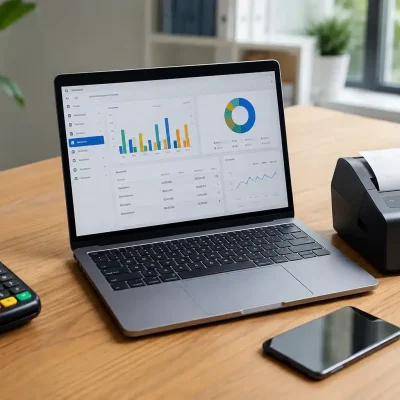
Many small business owners make decisions based on assumptions rather than data. This often leads to costly mistakes.Sales tracking software provides real-time visibility into business performance. Instead of guessing which products generate the most revenue, owners can access accurate reports instantly.
A quality POS system helps businesses track:
- Daily sales
- Weekly performance
- Monthly revenue
- Best-selling products
- Employee performance
- Profit margins
One common mistake companies make is reviewing sales data only at month-end. Businesses that monitor reports regularly can identify trends early and make faster adjustments.The availability of detailed Business reporting tools allows owners to make decisions based on facts rather than intuition.
Increased Business Efficiency Through Automation
Business owners often spend countless hours on repetitive administrative tasks. Manual billing, inventory updates, sales recording, and reporting consume valuable time.Business automation software eliminates many of these repetitive processes.
Tasks that previously required hours can often be completed automatically, including:
- Billing
- Inventory updates
- Sales reports
- Tax calculations
- Customer records
- Product tracking
In my experience, automation creates one of the highest returns on investment for small businesses because it frees employees to focus on customer service and growth initiatives.
Cloud Access and Remote Management
The rise of Cloud POS solution technology has changed how businesses operate.Unlike traditional systems that require access to a specific computer, cloud-based POS platforms allow owners to monitor business activities from anywhere.
Whether traveling, working remotely, or managing multiple locations, owners can access:
- Sales reports
- Inventory status
- Employee activity
- Customer information
- Financial performance
This flexibility is particularly beneficial for growing businesses that need constant visibility into operations.For many business owners, remote access alone justifies the investment in modern POS software.
Better Financial Accuracy
Manual bookkeeping often results in calculation errors, missing records, and inaccurate financial reporting.Digital billing software automatically records transactions, reducing the risk of human error.
Accurate financial records help businesses:
- Improve cash flow management
- Prepare tax reports
- Monitor profitability
- Reduce accounting mistakes
- Simplify audits
Based on real-world implementations, businesses often experience substantial improvements in financial accuracy after transitioning from manual systems to POS platforms.
Improved Employee Accountability
Employee performance can significantly impact business success.Modern POS systems track user activities, allowing managers to monitor transactions, discounts, returns, and cash handling.I’ve seen many businesses identify operational inefficiencies simply by reviewing employee activity reports.
This transparency helps:
- Reduce fraud
- Improve accountability
- Enhance staff performance
- Strengthen operational control
Employees also tend to perform more consistently when systems provide clear performance tracking.
POS Software Comparison
| Traditional Cash Register | Modern POS Software |
|---|---|
| Manual sales records | Automated sales tracking |
| Limited reporting | Advanced analytics |
| Basic billing | Digital billing software |
| No inventory management | Real-time inventory control |
| No customer database | Customer management software |
| Local access only | Cloud access anywhere |
| Manual calculations | Automated processing |
The comparison clearly demonstrates why modern POS systems have become essential for small businesses seeking growth and operational efficiency.
Step-by-Step Guide to Choosing the Right POS Software
Selecting the right POS Software for Small Businesses requires careful evaluation.
Step 1: Define Your Business Needs
Identify operational challenges and required features.
Step 2: Evaluate Inventory Requirements
Choose software with strong inventory management capabilities.
Step 3: Review Reporting Features
Ensure the platform provides detailed business insights.
Step 4: Check Cloud Functionality
Select a Cloud POS solution that supports remote access.
Step 5: Assess Customer Management Features
Look for integrated loyalty and customer tracking tools.
Step 6: Verify Scalability
Choose software that can support future business growth.
Step 7: Request a Demo
Always test the software before making a final decision.
Best Practices for POS Implementation
Businesses achieve the best results when they follow proven implementation strategies.
Recommended best practices include:
- Train employees thoroughly.
- Maintain accurate product databases.
- Monitor reports regularly.
- Perform routine system updates.
- Use inventory alerts proactively.
- Analyze customer behavior data.
- Review sales trends weekly.
What works best in practice is treating POS software as a business strategy tool rather than just a billing system.
Common Mistakes Businesses Should Avoid
While implementing POS systems, several mistakes frequently occur.
Choosing Software Based Only on Price
Low-cost solutions often lack essential features needed for growth.
Ignoring Staff Training
Even advanced systems underperform when employees are not properly trained.
Failing to Use Reports
Many businesses collect valuable data but never analyze it.
Delaying Software Updates
Outdated systems may create security vulnerabilities and operational issues.
Not Planning for Growth
Businesses should select solutions capable of supporting expansion.
Avoiding these mistakes significantly increases the long-term value of a POS investment.
Why POS Software Is No Longer Optional
The business landscape continues to evolve rapidly. Customers expect faster service, accurate transactions, personalized experiences, and efficient operations.
Businesses that continue relying on manual methods often struggle to compete with companies using modern technology.
POS software provides the visibility, automation, and operational control necessary to thrive in today’s competitive environment. Whether managing inventory, tracking sales, improving customer service, or streamlining daily operations, the right POS solution delivers measurable benefits that directly contribute to business growth.
For small businesses looking to improve efficiency, increase profitability, and prepare for future expansion, investing in a modern POS system is no longer a luxury—it is a necessity.
FAQs
POS software is a digital system that helps businesses manage sales, billing, inventory, customers, and reporting from a single platform.
It automatically tracks stock levels, updates inventory after sales, and provides low-stock alerts to prevent shortages.
Yes. A Cloud POS solution offers remote access, real-time updates, data backup, and greater flexibility compared to traditional systems.
Yes. By providing sales insights, customer data, and inventory visibility, businesses can make smarter decisions that drive revenue growth.
Absolutely. Many POS software Pakistan solutions are designed specifically for local retailers, wholesalers, pharmacies, and grocery stores.
Key features include inventory management, sales tracking, customer management, reporting tools, cloud access, and digital billing capabilities.
Businesses often save several hours per week by automating billing, inventory updates, reporting, and customer record management.
Conclusion
In conclusion, the benefits of POS Software for Small Businesses extend far beyond simple billing. From inventory management and sales tracking to customer engagement and business automation, a modern POS system helps businesses operate more efficiently and make data-driven decisions. Moreover, if you’re ready to streamline operations, improve profitability, and future-proof your business, OneClickPOS offers powerful POS solutions tailored for growing businesses. Additionally, backed by the business technology expertise of Eyecon Consultant, you can implement a scalable retail management system that supports long-term success and sustainable growth. Finally, contact OneClickPOS today and take the next step toward smarter business management.